Buying a token on NECO’s official portal (results.neco.gov.ng): every step, and what “Pending” means
Last updated: 2026-09-25
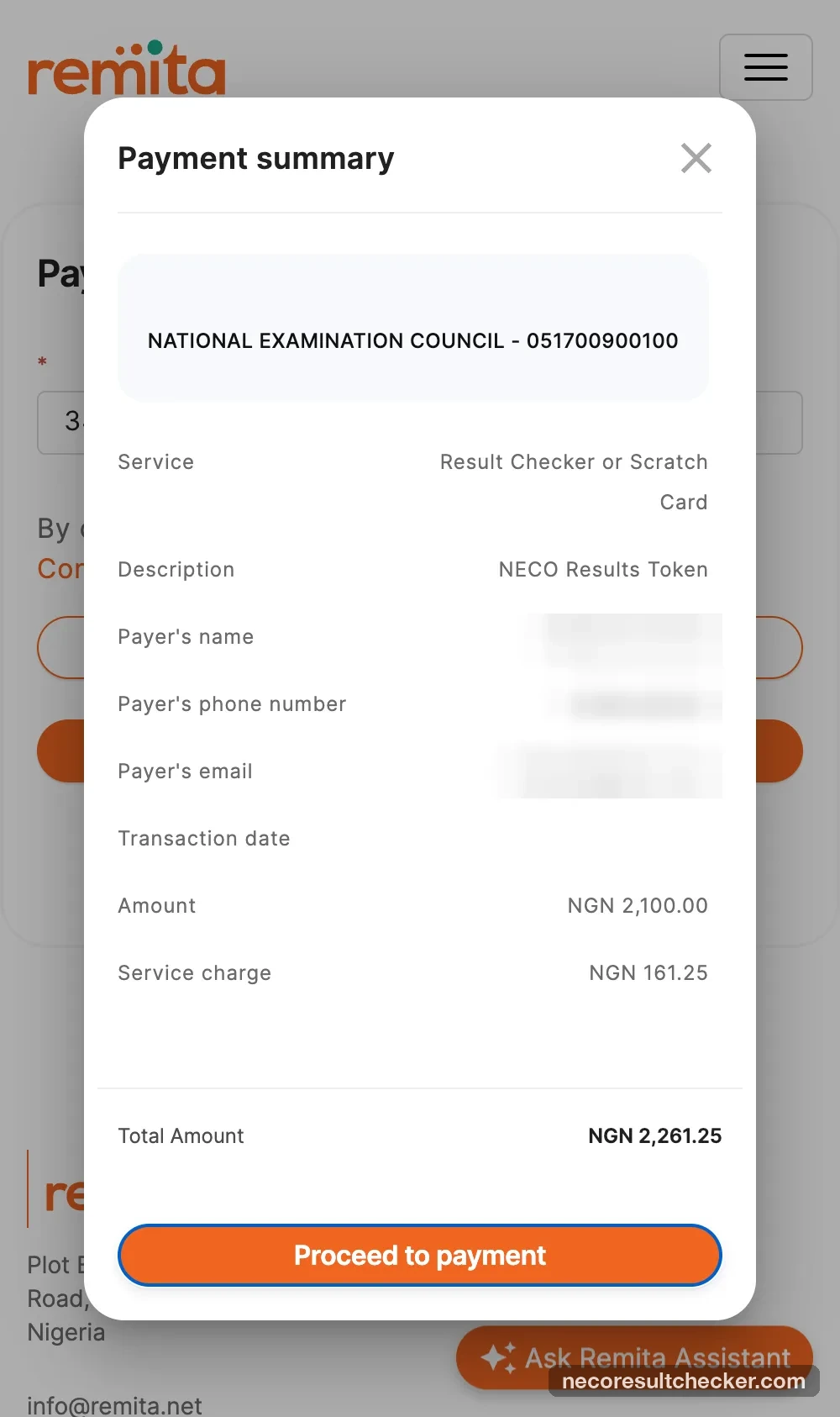
You can buy a NECO result token directly from NECO at results.neco.gov.ng for ₦2,100 plus Remita’s fee — ₦2,261.25 in total by bank transfer. We bought one on 25 September 2026 and screenshotted every screen, including the part nobody warns you about: after you pay, the portal shows Pending for a while and you have to verify it yourself.
This guide is for anyone who would rather pay NECO directly, and for everyone who already did and
is now staring at “Pending” or a Remita error page. If you bought a token from
this site instead, you don’t need any of this — your token arrives by email with an
nrc_ reference.
What it costs (official portal, 25 September 2026)
| Item | Amount |
|---|---|
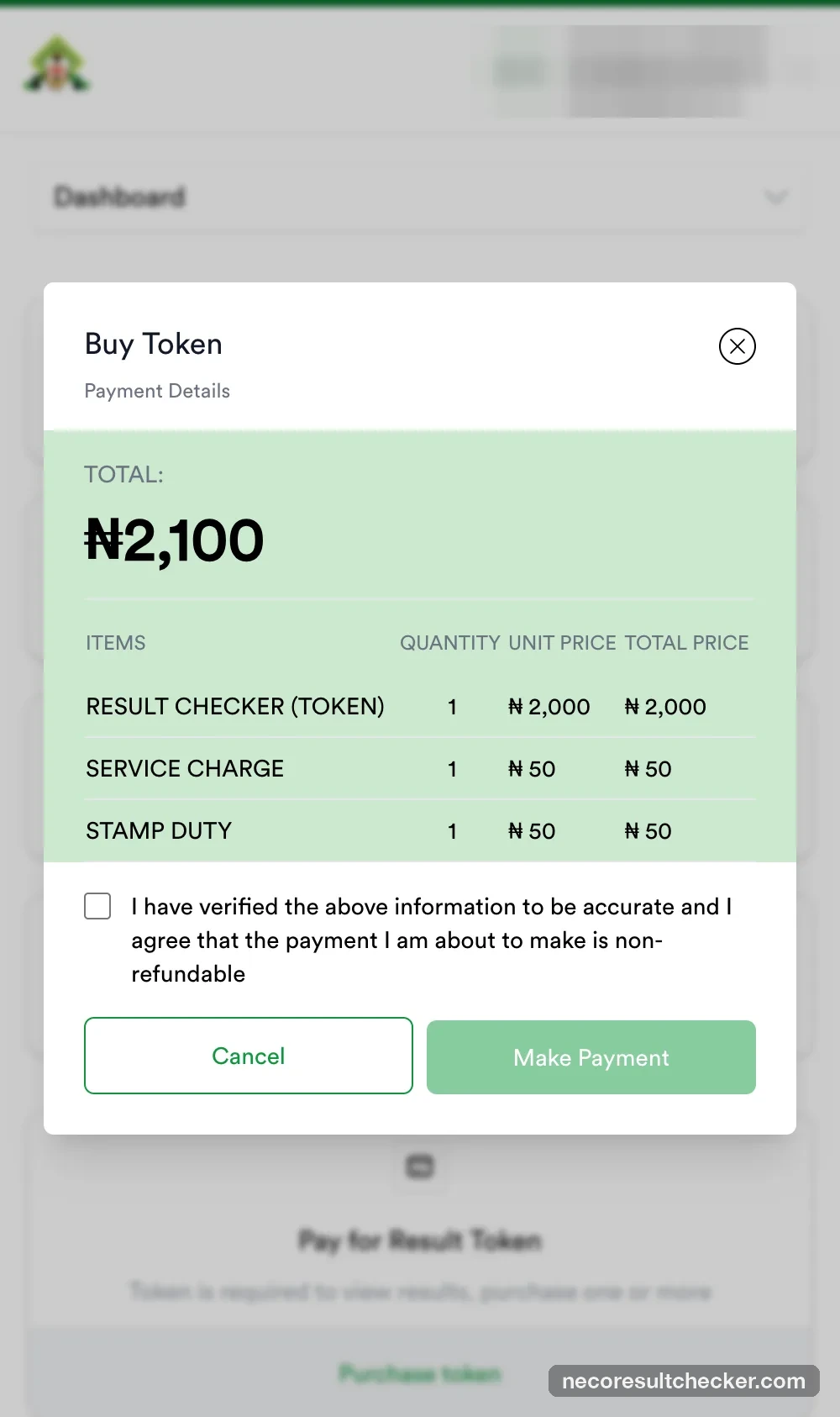
| Result checker (token) | ₦2,000 |
| Service charge | ₦50 |
| Stamp duty | ₦50 |
| NECO total | ₦2,100 |
| Remita fee — bank transfer | ₦161.25 → ₦2,261.25 |
| Remita fee — card | ₦172.54 → ₦2,272.54 |
For comparison, a token from this site is ₦2,450, delivered in seconds with an order page and support. Same NECO token either way — the difference is about ₦189 and who you can talk to if something goes wrong.
Before you start
- An email address and phone number you can access (NECO makes you an account).
- Your bank app open — the transfer account expires 30 minutes after it is shown.
- About ten minutes, plus however long NECO takes to confirm the payment (see step 11).
Step by step
1. Open the official portal
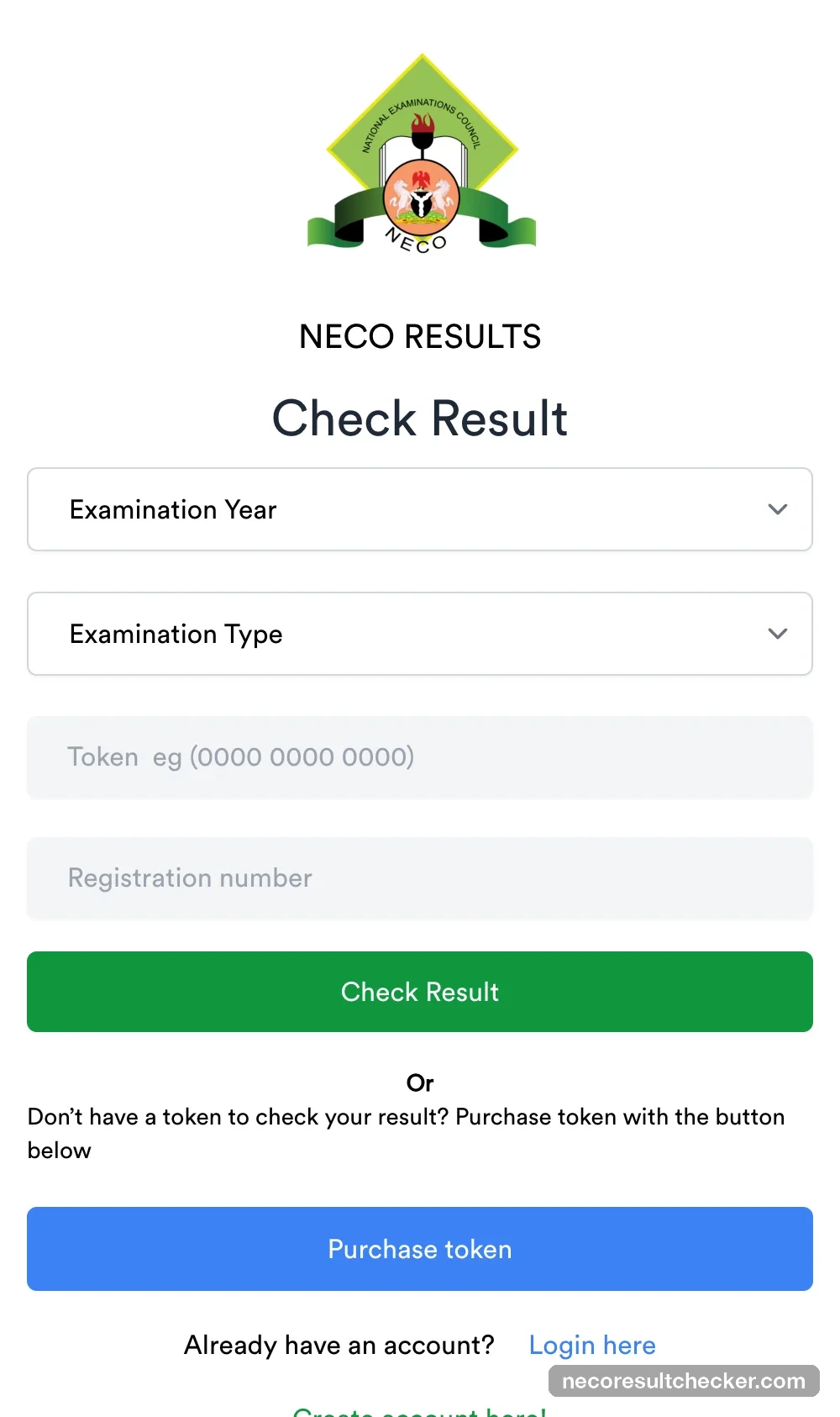
Go to results.neco.gov.ng. The home page is the Check Result form; the blue Purchase token button is under it. Check the address bar — this is the only official token seller.
2. Create an account or log in
Click Purchase token. First-timers use Create account here (name, email, phone, password); returning users Login here. The email you give is where NECO puts your receipts, so use one you can open.
3. Find your dashboard
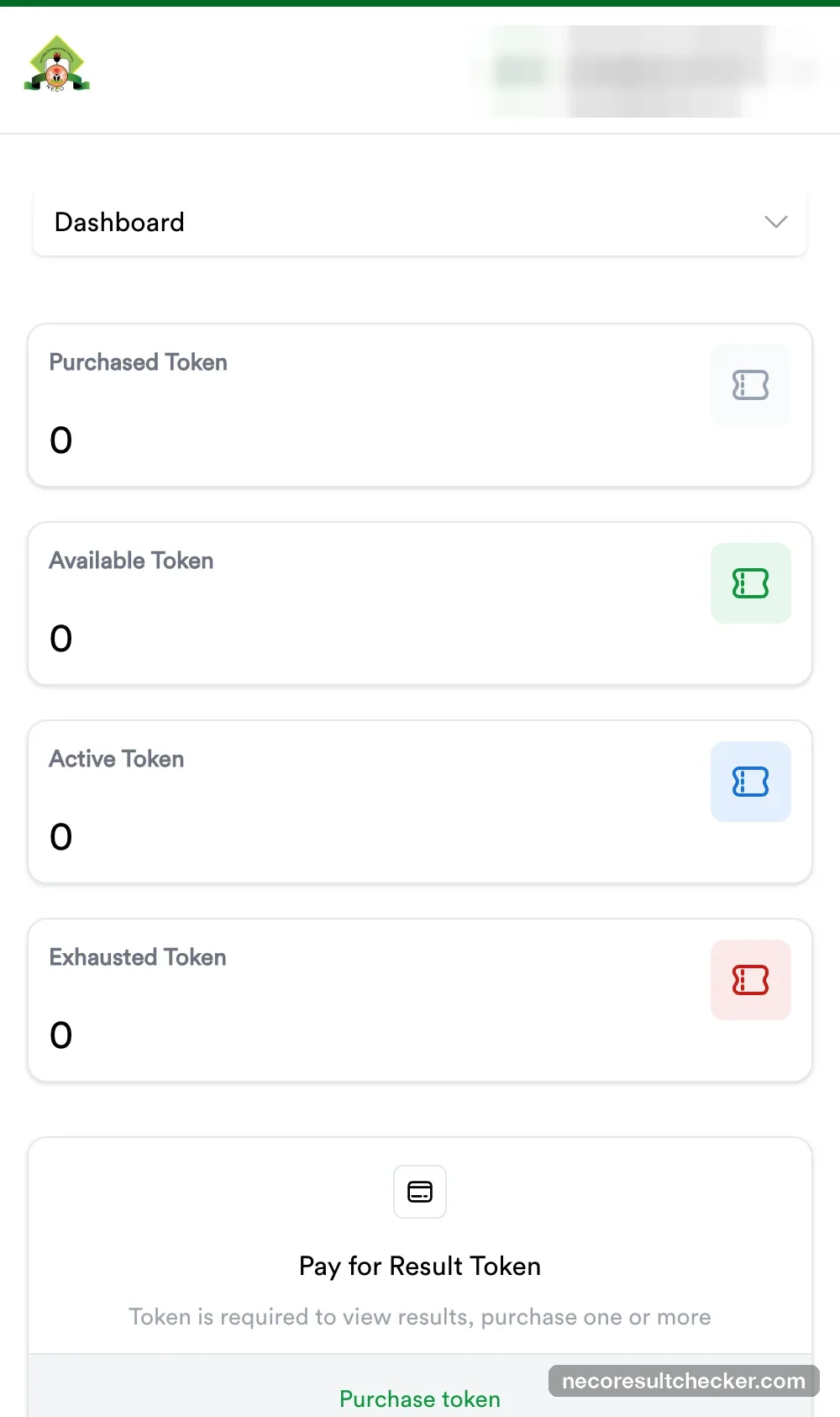
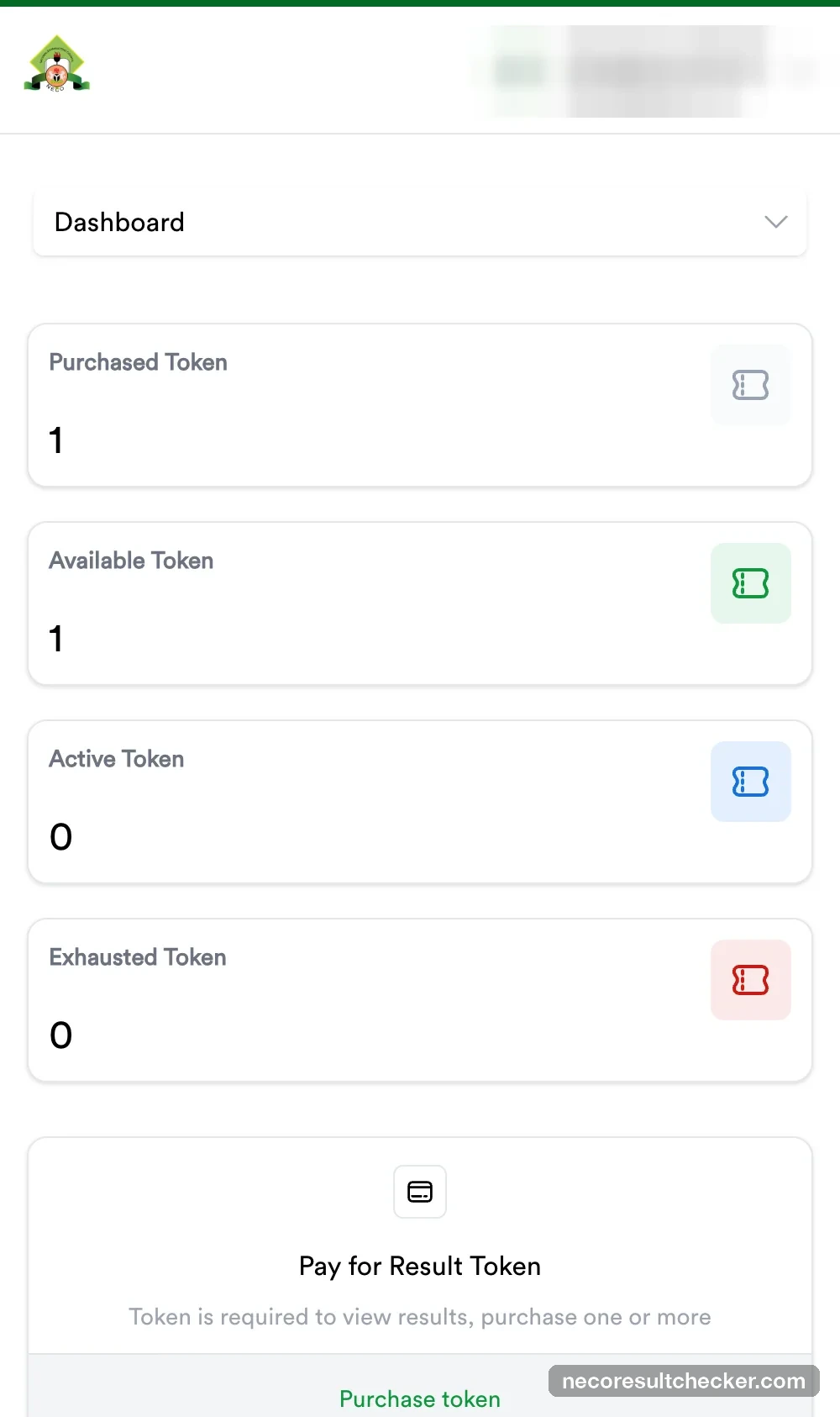
After login you land on a dashboard with four counters — Purchased, Available, Active and Exhausted tokens — and a Pay for Result Token → Purchase token card.
4. Choose the number of tokens
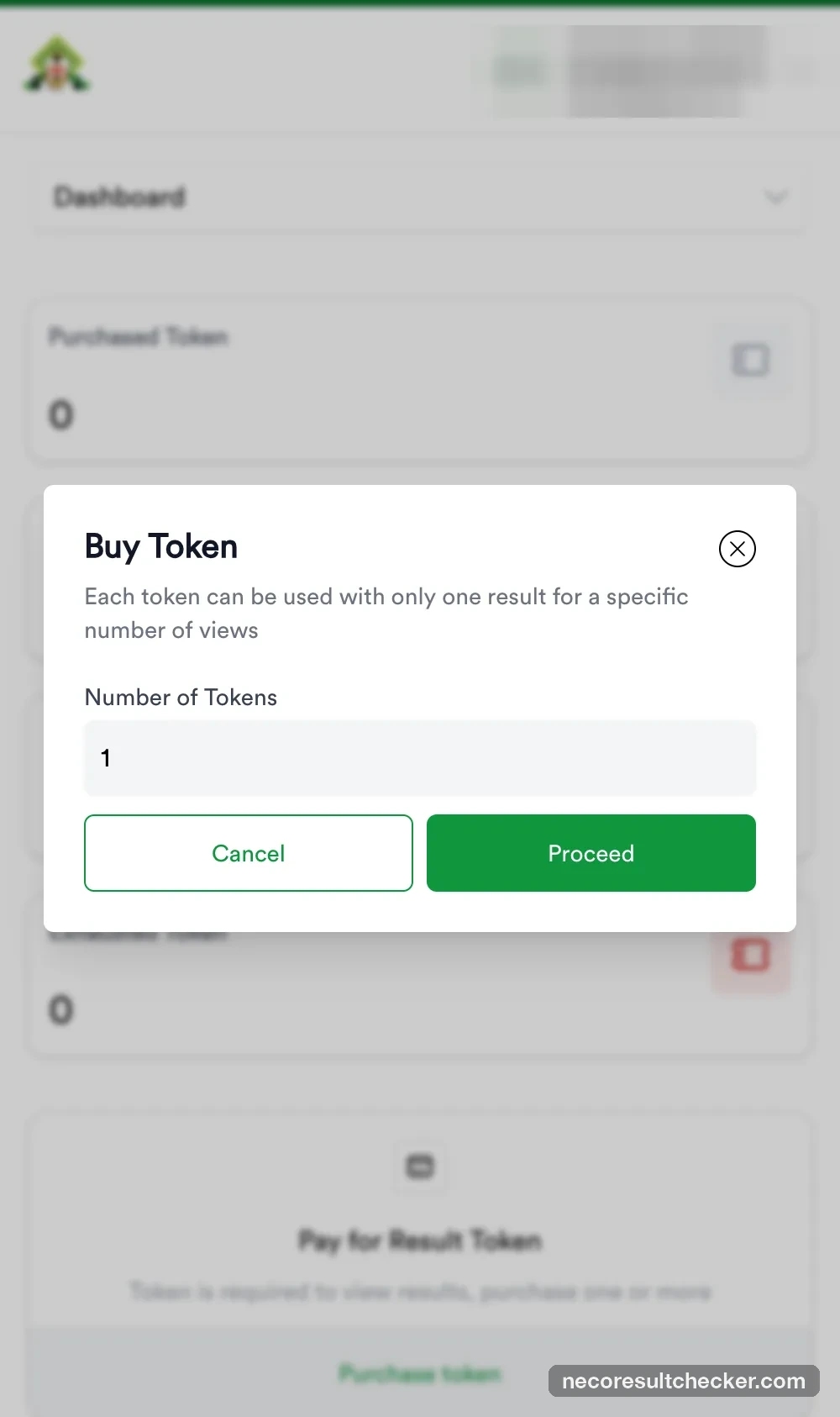
Click Purchase token. Enter how many you want — one per candidate — and Proceed.
5. Confirm the ₦2,100 payment details
The Payment Details box shows the breakdown above. Tick I have verified the above information… non-refundable, then Make Payment. NECO means the non-refundable part.
6. You are now on Remita — note your RRR
NECO hands you to remita.net. The RRR (Remita Retrieval Reference, e.g. 3415-1756-0988) is already filled in. Write it down or screenshot it now — it is the number NECO’s transactions page, NECO’s help desk and your bank statement will all use.
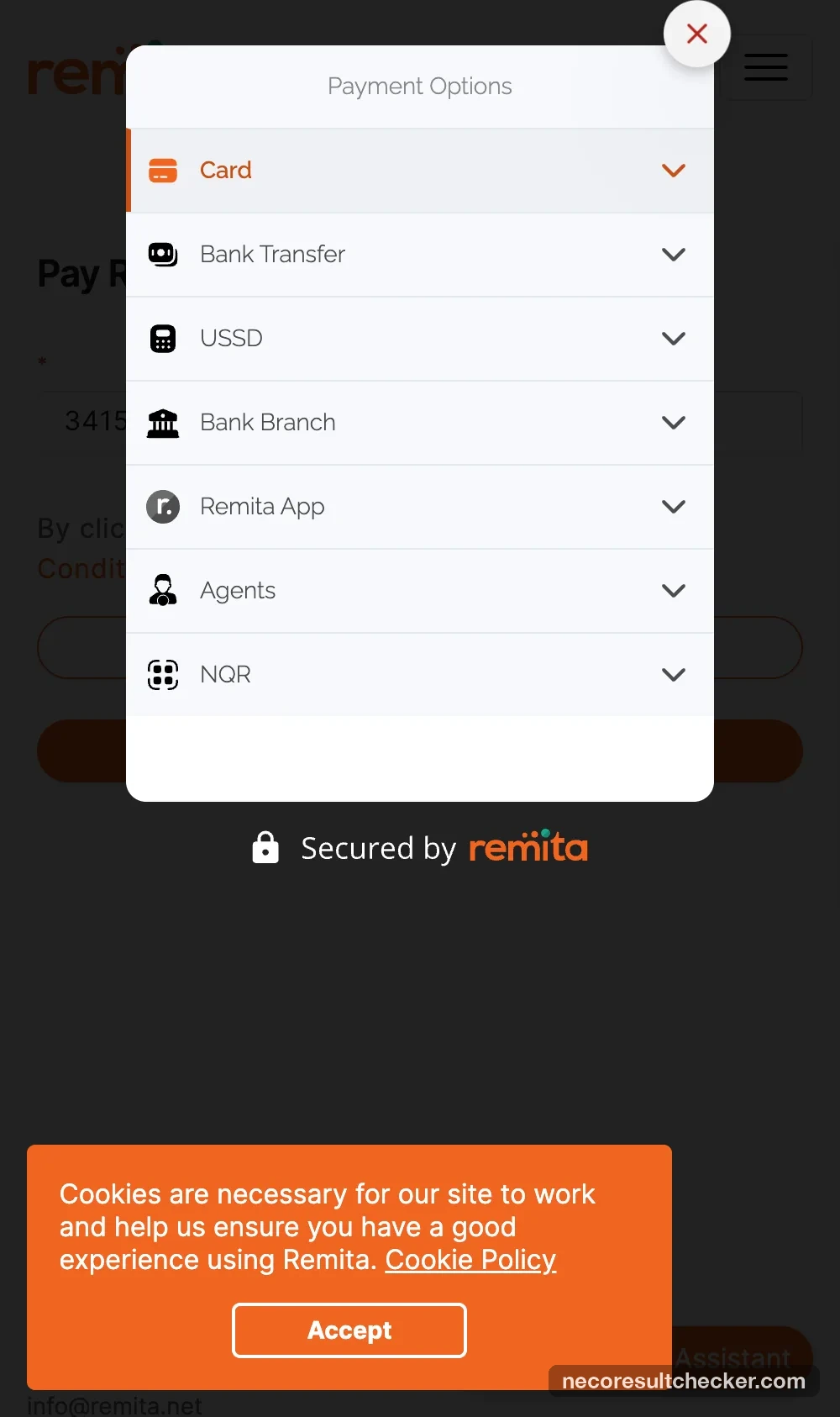
Payment options: Card, Bank Transfer, USSD, Bank Branch, Remita App, Agents, NQR. Card adds a slightly higher fee (₦2,272.54 total). We chose Bank Transfer.
7. Transfer exactly the Total Amount within 30 minutes
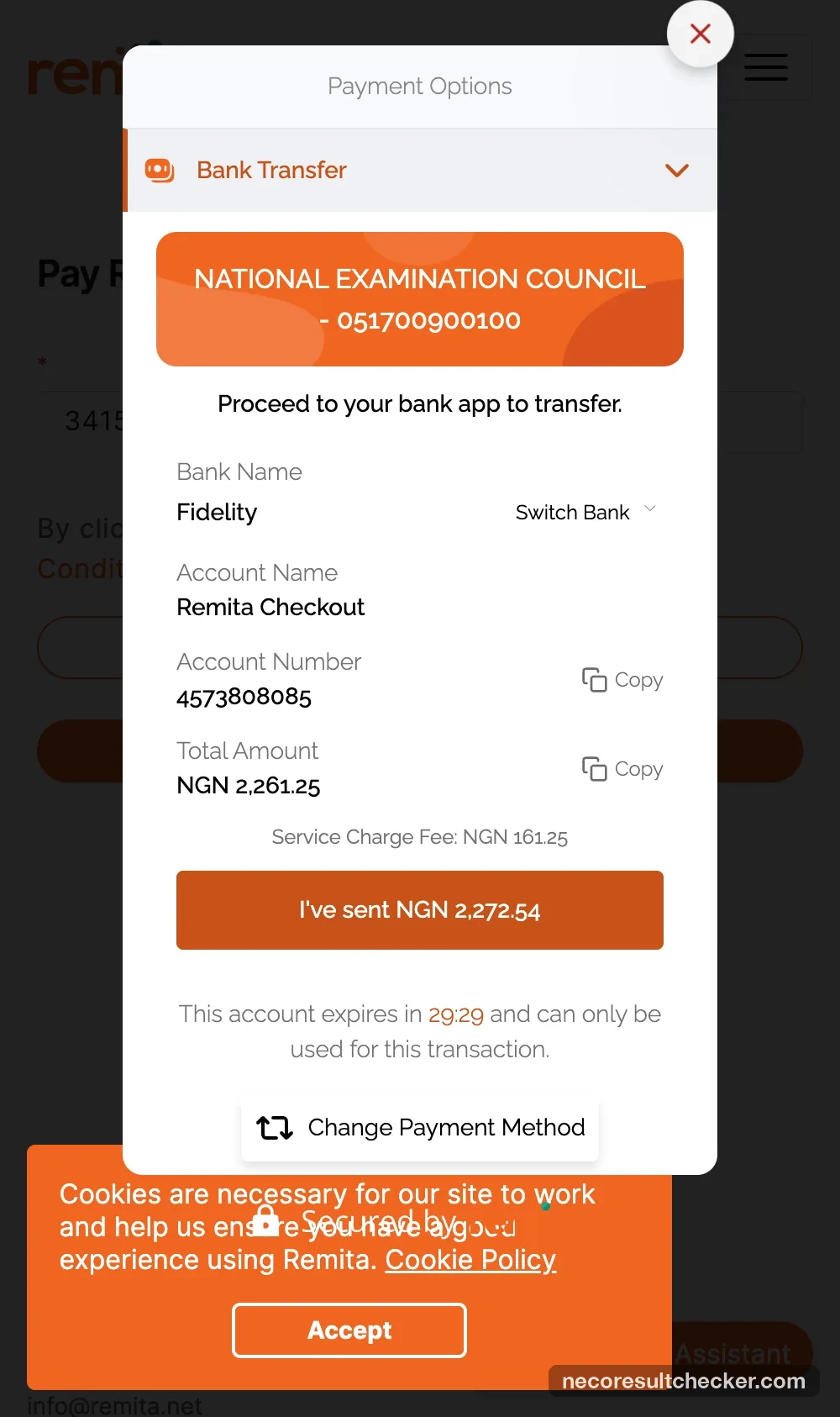
Remita shows a one-time account (ours: Fidelity Bank, account name Remita Checkout) and a Total Amount of ₦2,261.25 (₦2,100 + ₦161.25 service charge). Two things to get right:
- Send exactly ₦2,261.25 — the “Total Amount” line. Ignore the different figure printed on the “I’ve sent” button (a Remita quirk: it shows the card total).
- Do it inside the 30-minute timer. The account is for this transaction only.
8. Pay from your bank app, then click “I’ve sent”
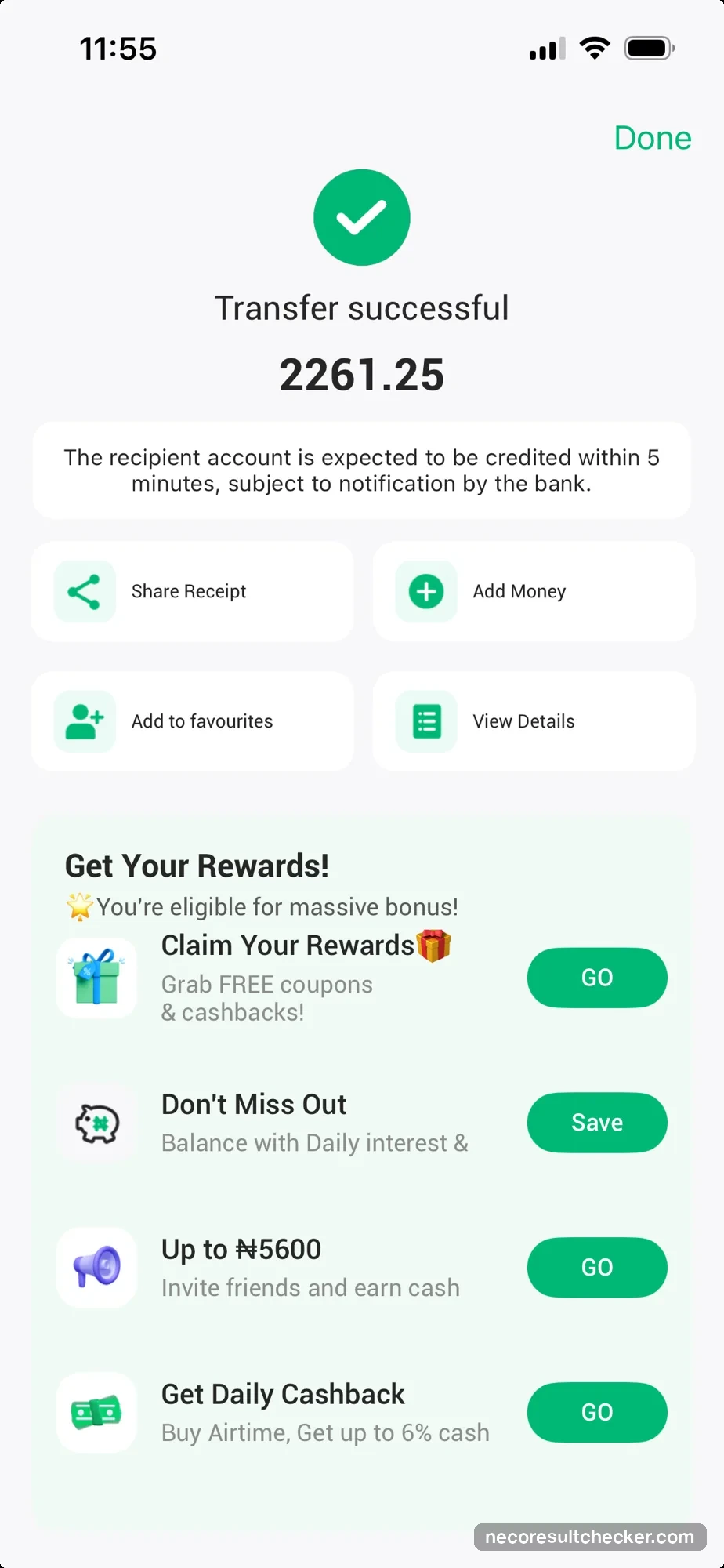
Make the transfer in your bank app, wait for its success screen, then come back to Remita and click I’ve sent NGN….
9. Remita confirms the money — “Payment Successful”
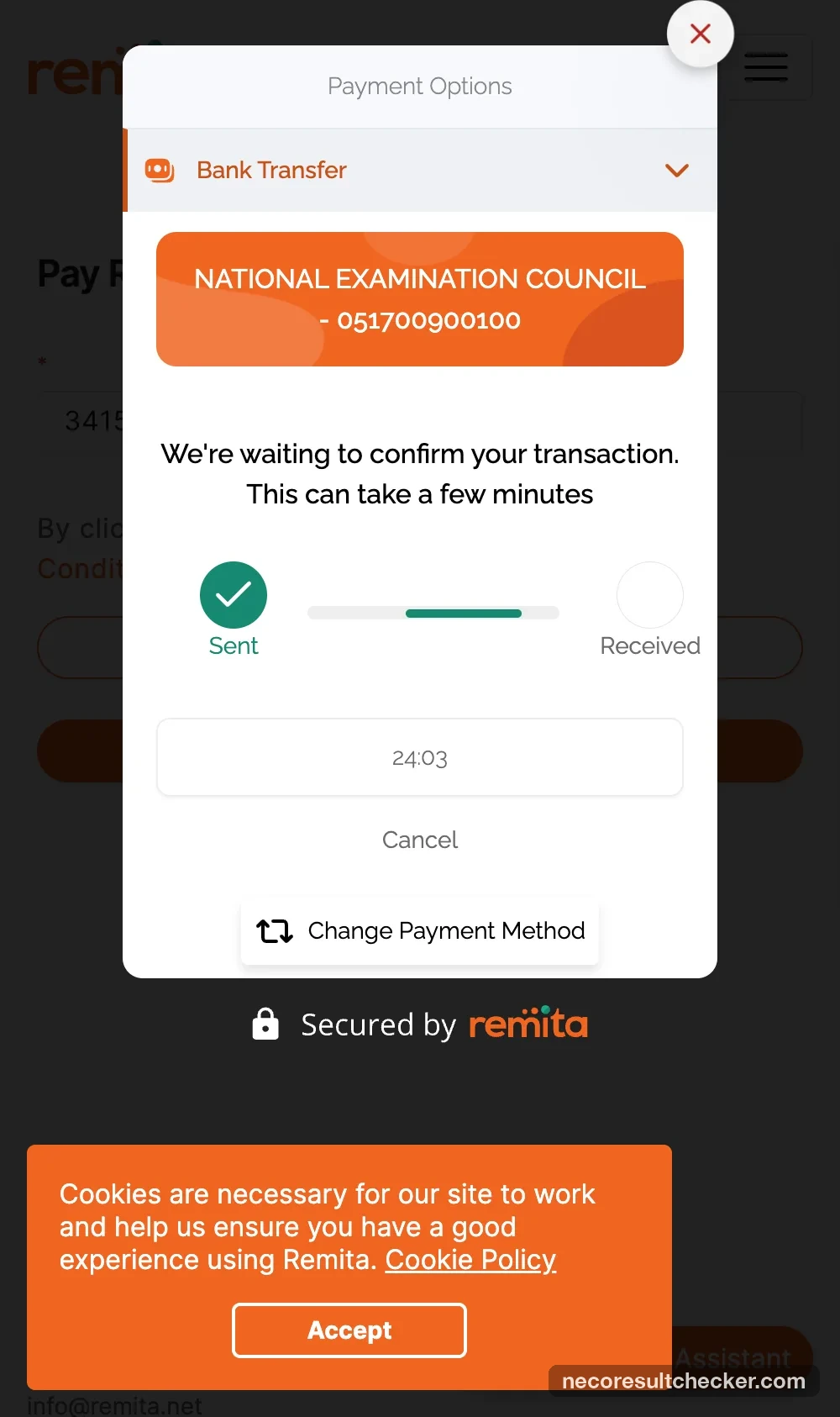
Remita shows We’re waiting to confirm your transaction with Sent ticked and Received pending. Ours flipped to Payment Successful in under a minute. That screen also prints a second number, a “Remita Retrieval Reference” for the receipt — it is not your RRR; the RRR is still the one from step 6.
10. Don’t panic at the Remita error page
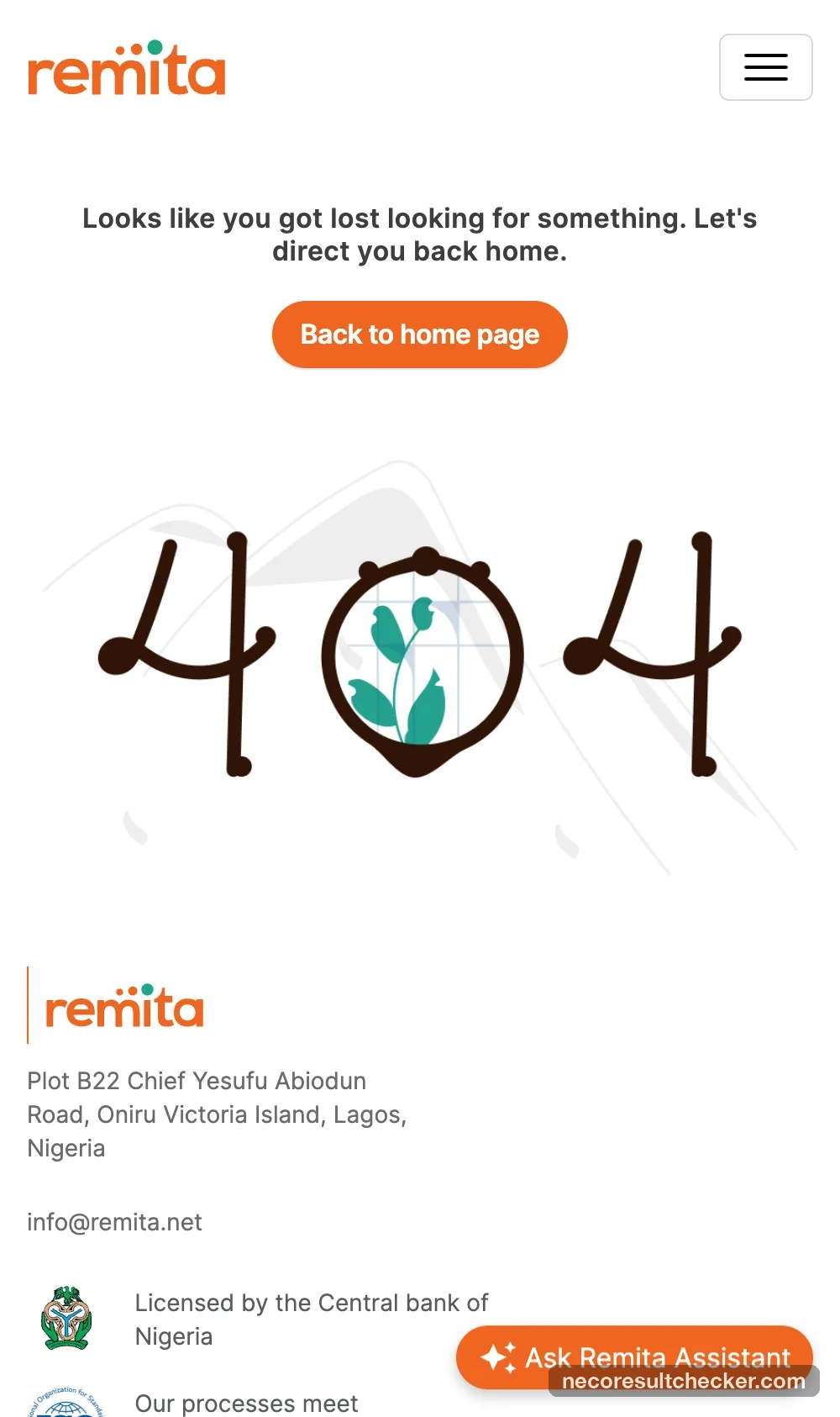
A few seconds after “Payment Successful”, Remita tried to send us back to NECO and landed on its own 404 “Looks like you got lost” page. This is where most people decide the payment failed. It did not — the money is with Remita and your token is on its way. Close that tab and go back to results.neco.gov.ng.
11. On NECO’s Transactions page it says “Pending” — here is why
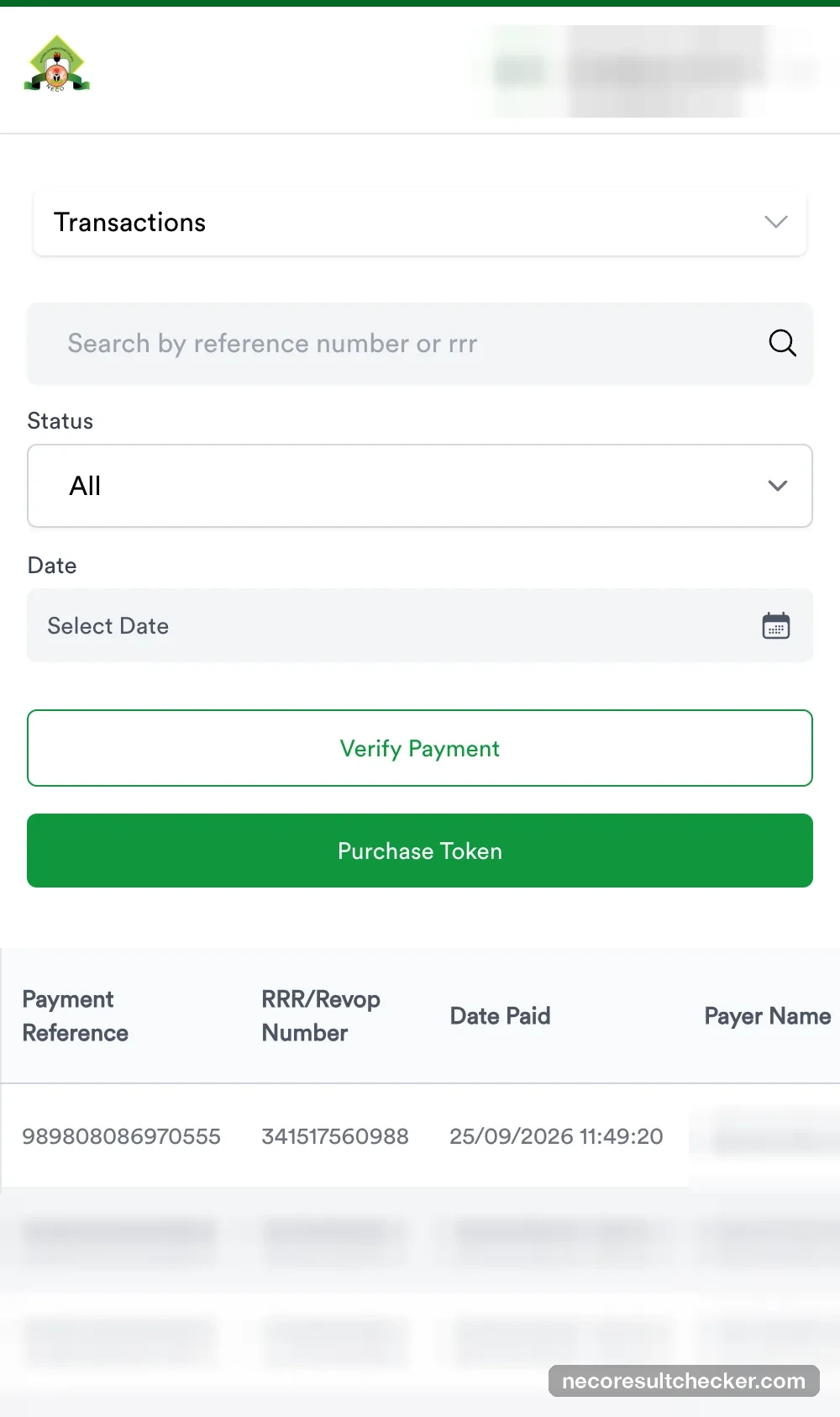
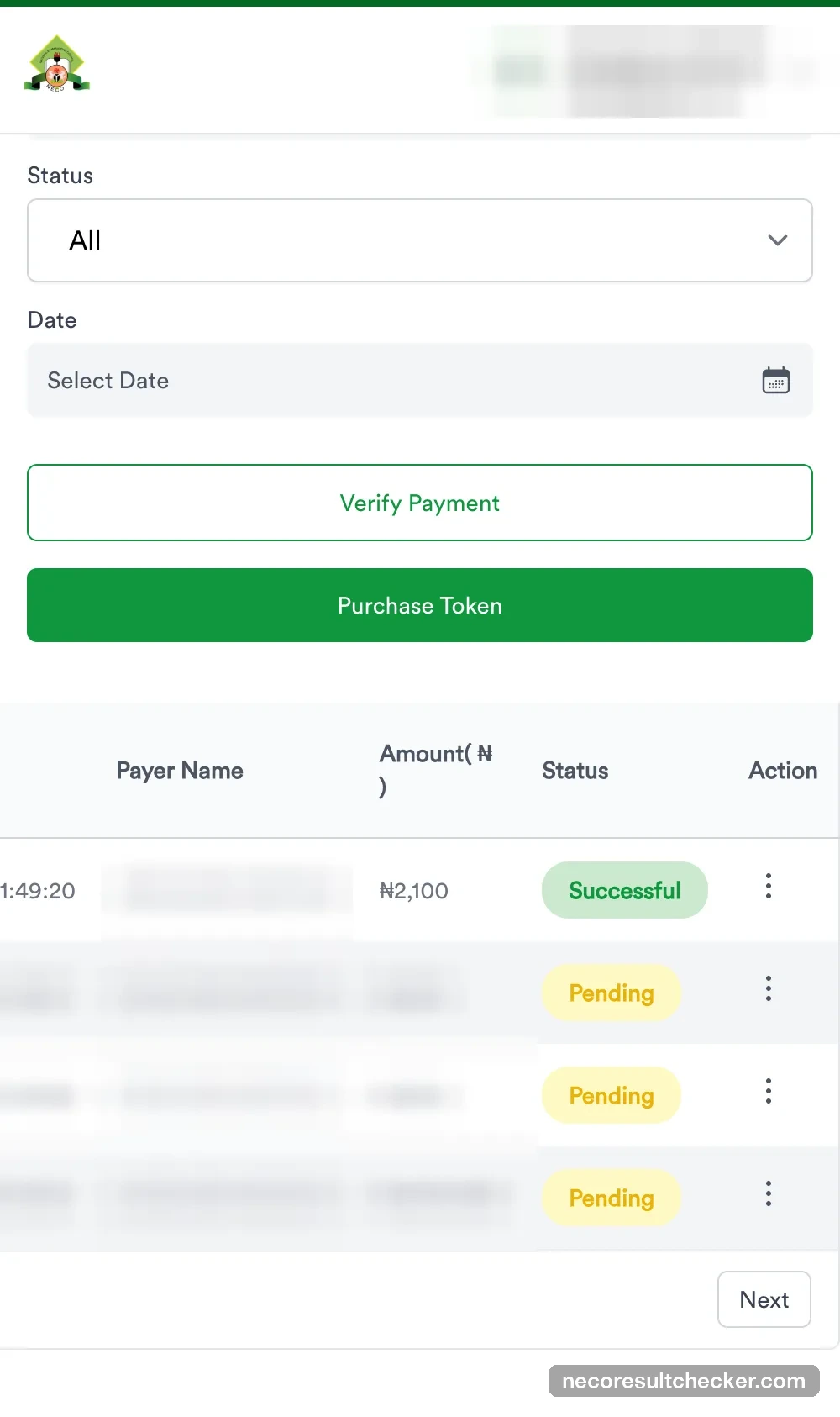
Log back in and open Transactions (the dropdown at the top of the dashboard). Your payment is listed with its RRR and ₦2,100 — and the status reads Pending, even though Remita said Successful. Two systems are involved: Remita confirms your bank transfer immediately, then notifies NECO, and NECO’s status only changes when that notification is processed. On results week that second step can take a long time — five hours in our test.
12. Click Verify Transaction (and read the message)
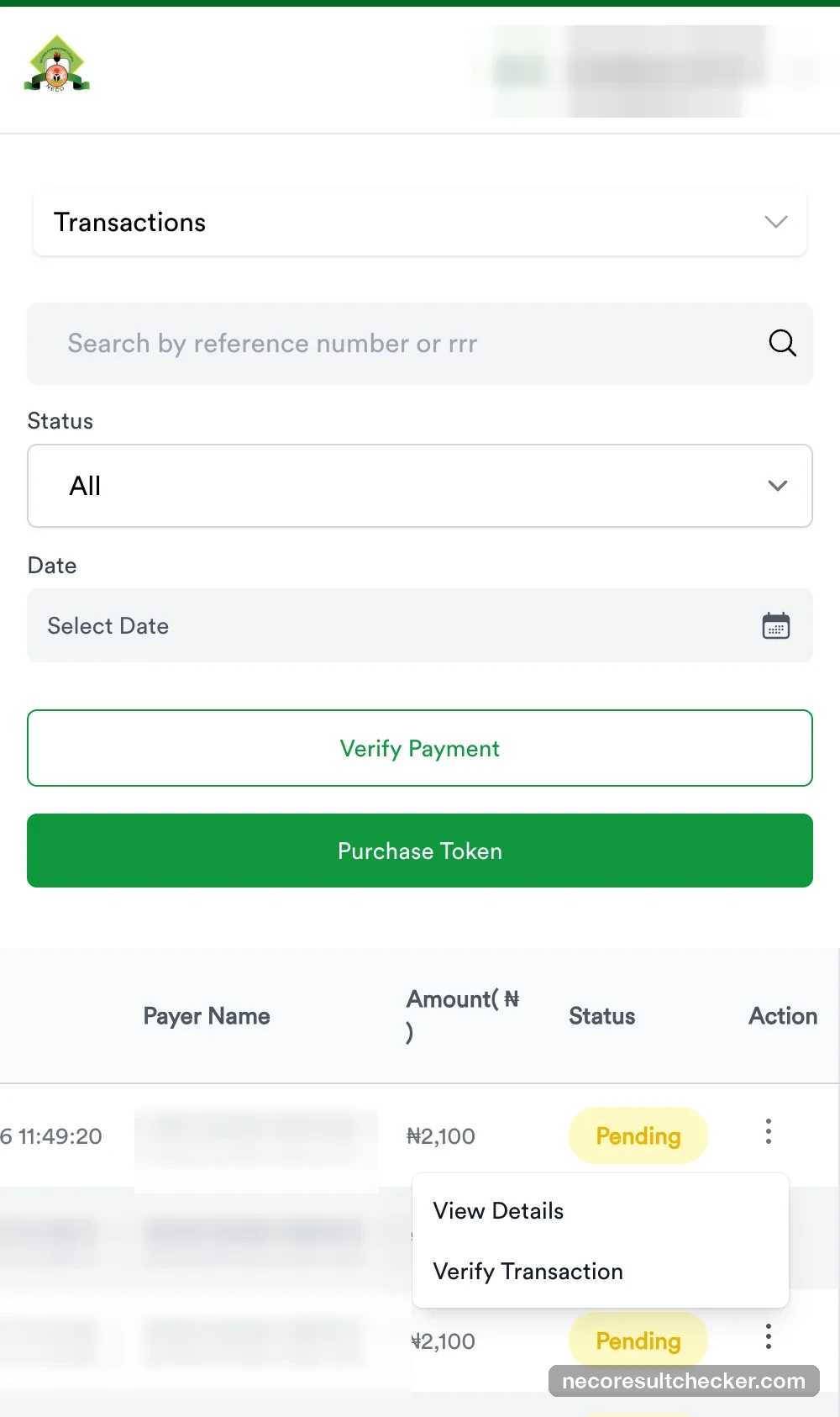
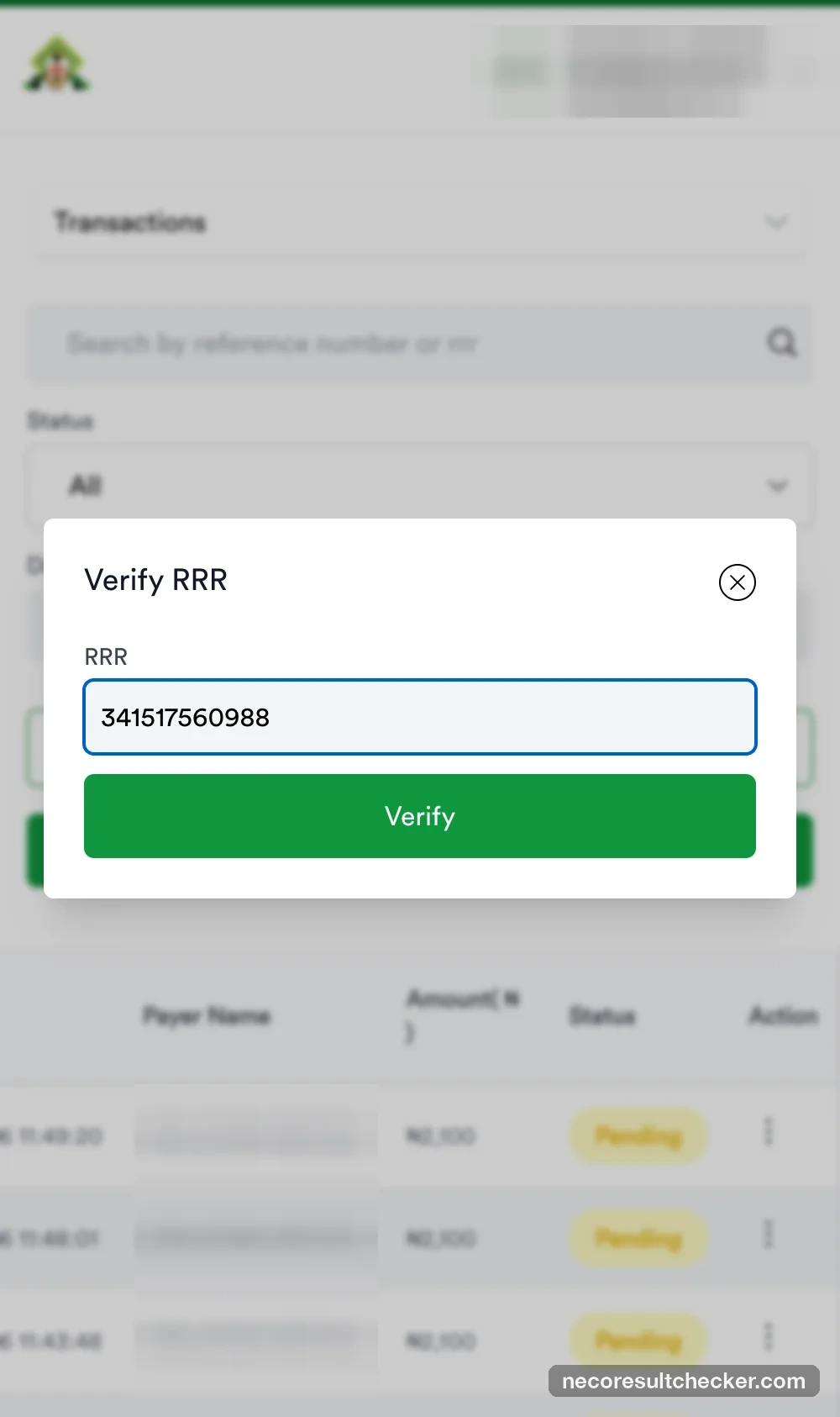
Open the three-dot menu on your row → Verify Transaction, or use the green Verify Payment button and type the RRR. Until NECO has heard from Remita, the portal answers:
“Your payment has not been confirmed by the payment provider yet. If you have already been debited, do not pay again — check back in a few minutes, and contact support if it is still not confirmed.”
Take NECO at its word: do not pay again. Verify again every 15–30 minutes.
The double-payment trap
If you open your RRR on remita.net again, it will still show Proceed to payment as if nothing happened. Remita does not stop you paying the same RRR twice. If you have a bank debit for the first payment, you are done paying — wait for NECO to confirm.
13. When it turns Successful: your token appears (ours took 5 hours)
Our RRR flipped from Pending to Successful at 16:59 — five hours after Remita confirmed the transfer at 11:58, on the day after results were released. Nothing we did sped it up; Verify Transaction simply started answering “Successful” once NECO had processed Remita’s notification. The dashboard counters moved to Purchased 1 / Available 1 at the same moment.
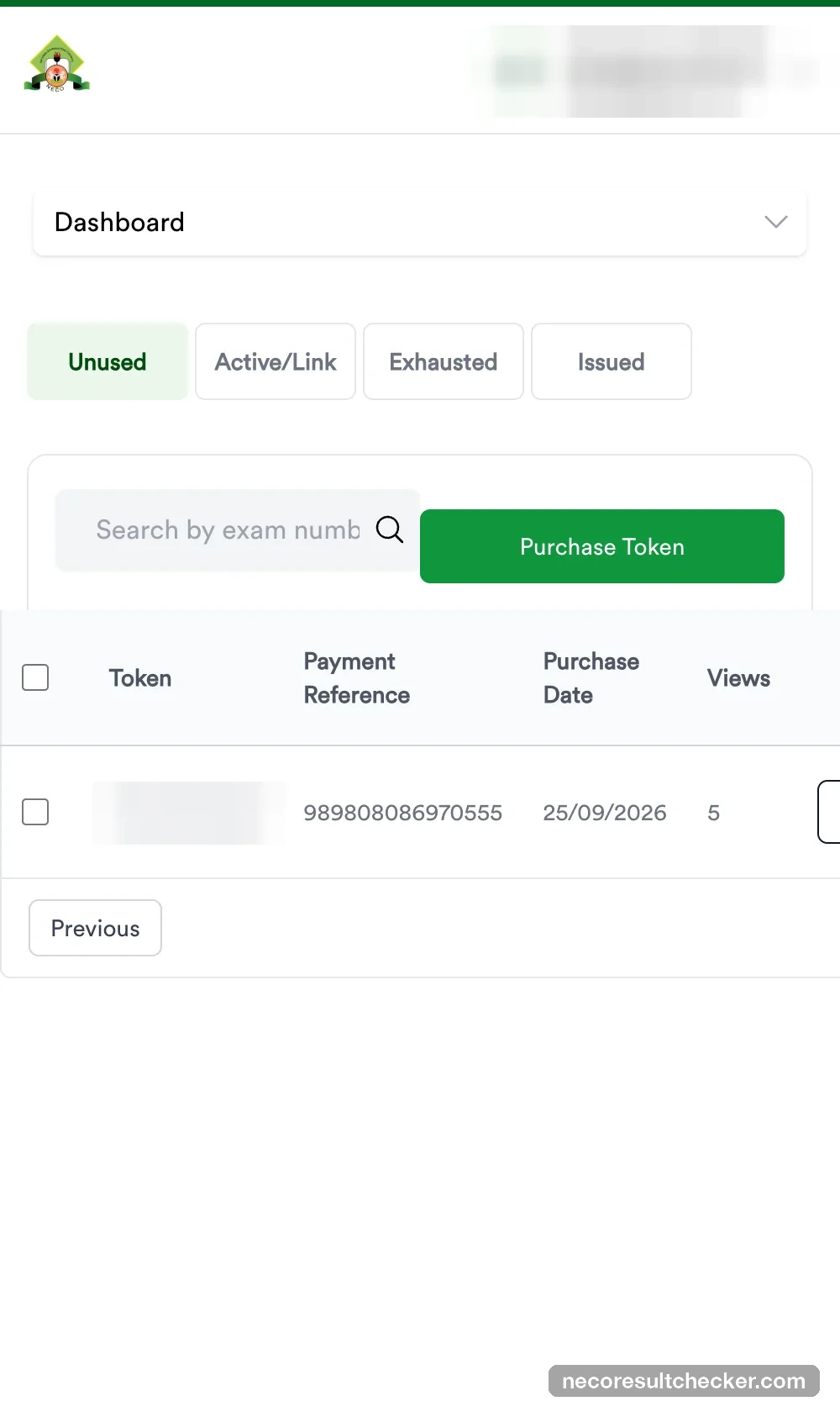
Click View token on the dashboard. The Tokens page has four tabs — Unused, Active/Link, Exhausted, Issued — and your new token sits under Unused with its payment reference, purchase date and Views: 5. Copy it carefully; it is 12 digits.
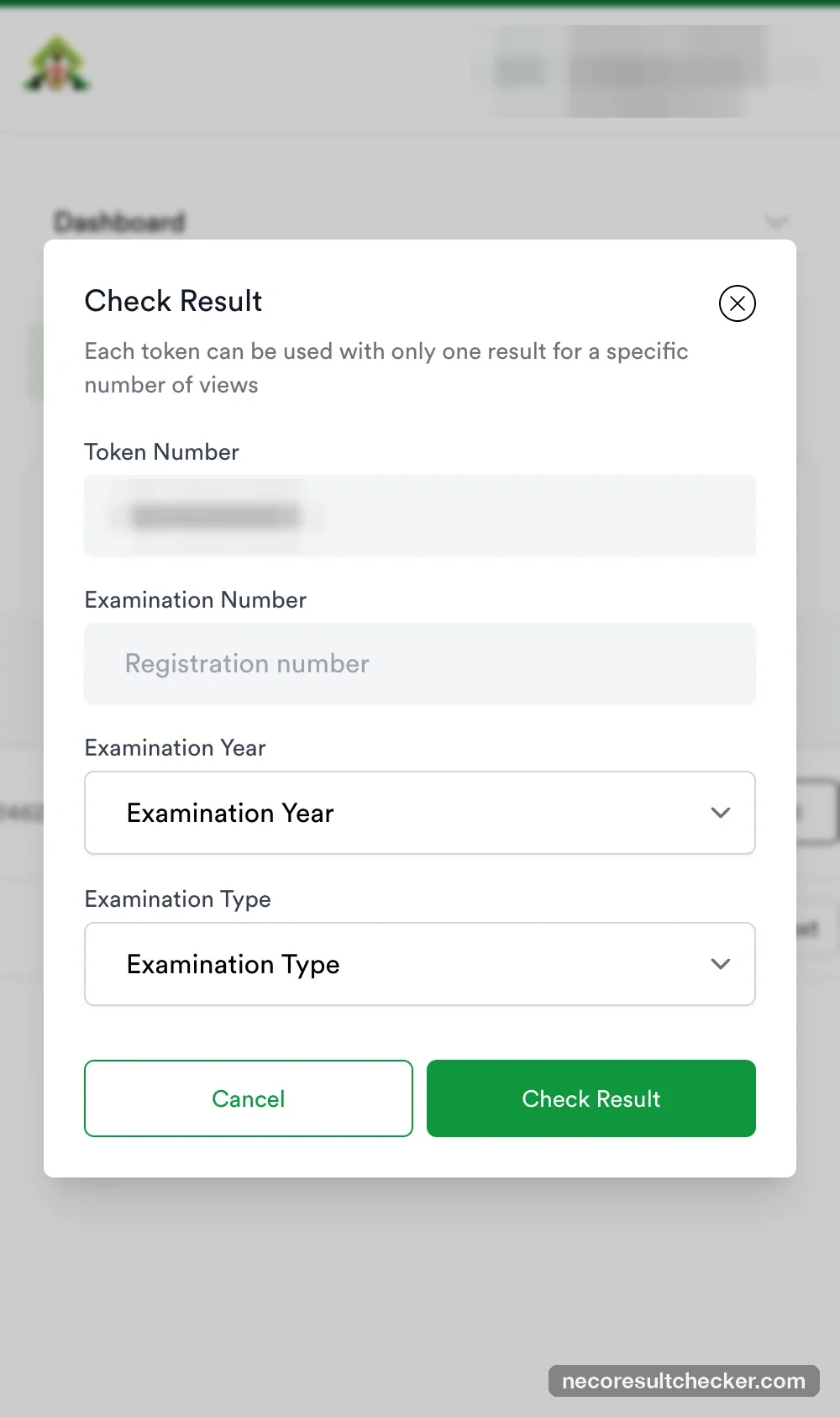
14. Check the result
Either click Check Result beside the token (it pre-fills the token for you), or use the portal home page. Then:
- Enter the candidate’s Examination Number — 10 digits + 2 letters on 2026 slips (8 + 2 on older ones), exactly as on the exam slip.
- Select the Examination Year (2026 for this year’s SSCE) and Examination Type (SSCE Internal for June/July).
- Check Result. The first check locks the token to that candidate; you have 5 views in total.
Full detail, including printing, is in our how to check your NECO result guide.
Still Pending after hours? What actually helps
- Verify Transaction again — it is a live check, not a refresh.
- Check your bank debit. If the money never left your account, the transfer did not happen; start a new purchase (a new RRR) rather than re-paying the old one.
- Open a ticket with NECO at support.neco.gov.ng with the RRR, the amount, the time, and the email/phone on your NECO account. Attach the bank receipt. The portal also lists [email protected].
- Don’t email token sellers about it — including us. A payment made on results.neco.gov.ng is invisible to anyone but NECO and Remita.
Official portal vs buying a token here
| results.neco.gov.ng | necoresultchecker.com | |
|---|---|---|
| Price | ₦2,261.25 (transfer) / ₦2,272.54 (card) | ₦2,450 |
| Account needed | Yes (NECO account) | No — email only |
| Payment | Remita: transfer, card, USSD, branch | Paystack: transfer, card |
| Delivery | After NECO confirms the RRR (5 hours in our test) | Seconds after payment confirms; email + order page |
| If something goes wrong | support.neco.gov.ng ticket with RRR | Order page retries; contact page with nrc_ ref |
| The token itself | Identical — a NECO result token, 5 checks, one candidate | |
We are an independent service. necoresultchecker.com is not affiliated with, endorsed by, or operated by the National Examinations Council (NECO).
Need a NECO token?
Instant delivery for ₦2,450 — checks one result up to 5 times.
Frequently asked questions
How much is a NECO token on the official portal? +
NECO charges ₦2,100 (₦2,000 token + ₦50 service charge + ₦50 stamp duty). Remita adds its own fee on top: ₦161.25 by bank transfer (total ₦2,261.25) or ₦172.54 by card (total ₦2,272.54), as of 25 September 2026.
What is an RRR? +
A Remita Retrieval Reference — the 12-digit invoice number Remita gives your NECO payment (e.g. 3415-1756-0988). NECO tracks your payment by it. Keep it: it is the only thing NECO’s help desk can use to find your money.
I paid but NECO still says Pending. Did I lose the money? +
Almost never. Remita confirms the transfer first (you see “Payment Successful”), then tells NECO — and that second step can lag — ours took 5 hours the day after results were released. Use Verify Transaction on the portal, do not pay the same RRR again, and only open a help-desk ticket if it is still Pending after a few hours.
Can necoresultchecker.com check or refund my RRR payment? +
No. That payment went to NECO through Remita; we have no access to NECO’s payment system. Only NECO’s help desk can trace it. We sell our own tokens, which arrive with an nrc_ order reference and a Paystack receipt.
Is the official route cheaper than buying here? +
Yes, by about ₦189: ₦2,261.25 on the portal versus ₦2,450 here. The difference buys you instant delivery and someone to write to if anything goes wrong. Both tokens are the same NECO token.
Related guides
Was this helpful?